|
Click
for larger view |
|
Honeywell
WebPAD II
Full-Featured,
Wireless Web Surfing and E-mail in Your Home, Office or Yard Now a
Reality!
The
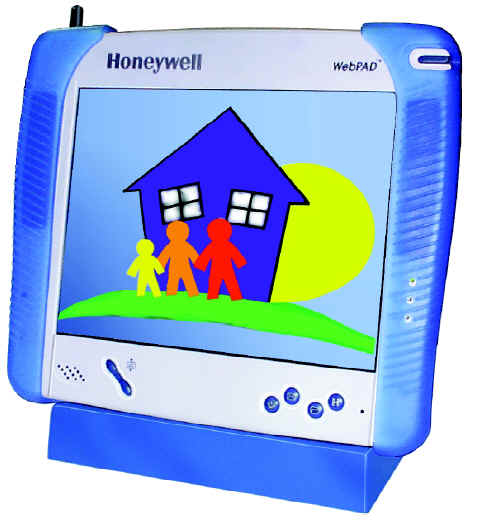
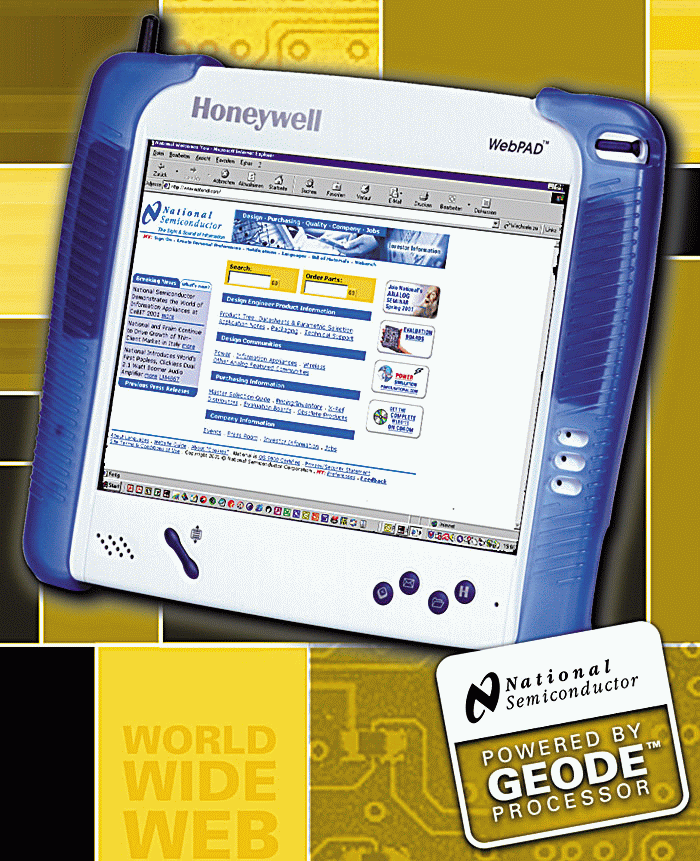
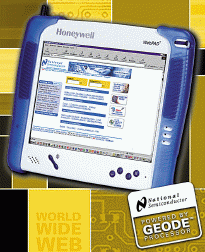
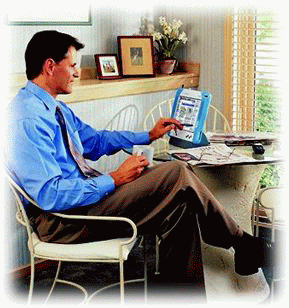
NEW Honeywell WebPAD™ II Internet Appliance - an easy-to-use,
portable tool for wireless, high-speed connection to the Internet
and centralized home control applications. Weighing less than
three pounds and measuring less than an inch thick and about the
size of a standard sheet of paper. The Honeywell WebPAD™ II
device allows a user to surf the Internet, send , receive e-mail,
and enter information via a wireless touch screen display at
higher speed and with more features. The device uses a 802.11b
radio to link to a 802.11b access point-- that's connected to
broadband cable or DSL or a dial-up phone connection. Enjoy the
benefits of a high-bandwidth Wireless connection from anywhere
inside or outside the home within 330 feet of an access point.
|
|
Introducing
the Version Honeywell WebPAD™ II Internet Appliance 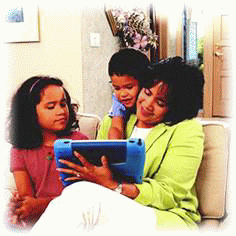
The
Version II Honeywell WebPAD™ II Internet appliance provides
consumers with a number of benefits like:
- High
speed cordless connection to the Internet. Like your
portable phone, the Honeywell WebPAD™ II internet
appliance enables consumers to surf the web or read your
e-mail without being tethered to a computer at speeds of up
to 11MB per second. Wander through your home, office or yard
while you read your e-mail and surf the net from within 330
feet of the basestation.
- The
capability for multiple surfers at the same time The WebPAD™
II Internet appliance used in conjunction with a DSL or
broadband cable modem hook-up and the wireless basestation
allows for multiple Internet users. You no longer have to
wait for your spouse, kids, or housemates to log off the
Internet You can hook up to 250 WebPAD™ IIs to the base
station and surf the Internet at the same time.
- The
ability to do word processing with Pocket Word from
Microsoft as well as open up Word attachments in e-mail with
Web Based e-mail or InBox by Microsoft.
- View
high quality Web sites that employ MarcoMedia Flash or Java
applets.
- View
.pdf, .doc, .ppt, .xls and other file formats.
- View
streaming video via Windows Media Player.
- Printer
support for selected printers with USB interfaces.
- Compact
Flash card slot enabled for additional storage and
applications.
- Maintains
favorites and other settings when turned off.
- Future
Proof - upgradeable software as new features become
available.
- Up
to 4-5 hours of usage using the battery before it needs to
be recharged.
- A
USB Port for adding an accessory keyboard or mouse.
- On
board speaker and a headphone jack for listening to audio
and music.
- Quick
access to a software keyboard, the desk top, e-mail and the
H-Link which provides Honeywell WebPAD™ II Internet
appliance support.
- Scroll
button for vertical scrolling and value adjustments.
- Adjustable
timer for battery saving features (backlight-off, sleep or
full off).
- Power
pass-through cradle for charging and viewing.
WebPAD™
II is a trademark of National Semiconductor Corporation
|

Copyright © 1999
Honeywell Inc. All rights reserved |
|
|
New
Version Honeywell WebPAD™ II Internet Appliance
Now with 11 Mbit data rate, Easier-to-view TFT screen, MacroMedia
Flash, Java Virtual Machine, Viewers for .pdf, .doc, .ppt, . xls
files, WindowsCE 3.0 and 64M RAM for improved performance
Full-Featured,
Wireless Web Surfing and E-mail in Your Home, Office or Yard Now a
Reality!
The
NEW Honeywell WebPAD™ II Internet Appliance - an easy-to-use,
portable tool for wireless, high-speed connection to the Internet
and centralized home control applications. Weighing less than
three pounds and measuring less than an inch thick and about the
size of a standard sheet of paper. The Honeywell WebPAD™ II
device allows a user to surf the Internet, send , receive e-mail,
and enter information via a wireless touch screen display at
higher speed and with more features. The device uses a 802.11b
radio to link to a 802.11b access point-- that's connected to
broadband cable or DSL or a dial-up phone connection. Enjoy the
benefits of a high-bandwidth Wireless connection from anywhere
inside or outside the home within 330 feet of an access point.
|
WebPAD™
is a trademark of National Semiconductor Corporation
|
|
| The Press Release...
Surf Faster, Better and Still
Unfettered With Honeywell's Radically Enhanced WebPAD™ II Internet
Appliance
Device Gives Instant, Portable, Convenient Web Access
MINNEAPOLIS,
Minnesota, April 4, 2001 - Honeywell [NYSE: HON] has packed even more
speed, features and functions into its new WebPAD™ II Internet
Appliance. Weighing in at less than three pounds, measuring less than an
inch thick and about the size of a standard sheet of paper, the WebPAD
device gives portable, wireless high-speed access to the Internet, email
and home control.
Its
better-than-ever features include:
- Doubled
surf range. Enjoy portable, high-speed surfing up to 330 feet (100
meters)-from the access point. Surf unfettered by wires in your home,
yard, tree house, poolside or porch.
- Faster,
more powerful performance.
Save time with "instant on" and data transfer rates that, at
up to 11 megabits per second, are five times faster than before. WinCE
3.0 offers higher performance. SDRAM 64 megabits and Macromedia Flash
memory 32 MB give twice the oomph. And communications using 802.11 rf
at 2.4 ghz speeds you ahead.
- Larger,
brighter screen. Expanded to 10.4", the TFT (thin-film
transistor) color screen is easier to see and use.
- Way
more room for same-time surfers. Now up to 250 WebPAD devices (up
from eight) can wirelessly connect to each WebPAD access point base
station. The upshot: Never again will you wait to get online; you and
your family members can simultaneously surf.
- More
popular functions. A built-in reader lets you scan Word,
PowerPoint and Excel attachments. You can print with a compatible
printer. The WebPAD device now supports Windows Media Player, MP3s,
JVM Web pages and Flash files.
- Easy
charge up. The AC/DC adapter and power cords connect simply to
either the base cradle or the WebPAD itself.
You can
surf the Internet, send and receive e-mail, and enter information via the
WebPAD's wireless touch-screen display. The WebPAD device wirelessly
connects to an access point base station, which connects to broadband
cable or DSL.
The WebPAD
suggested retail is $1650. The 802.11b access point base station (which
permits wireless surfing by up to 250 WebPAD devices) with Ethernet port
and built-in router and firewall functions carries a suggested retail of
$355. The future-ready WebPAD device accepts software updates and plug-in
modules to boost performance and tackle new applications.
The global
market for information appliances, such as the WebPAD device, stands on
the verge of explosive growth, say industry observers. International Data
Corporation, a market research firm, forecasts sales of 55.7 million units
in 2002, representing a 76% annual growth rate from 1998.
FORTUNE
magazine ranked the Honeywell WebPAD appliance one of the 10 "best
technologies for 2001."
The WebPAD
device is part of Honeywell's broad portfolio of
"connected-home" solutions, which include residential gateways,
integrated structured wiring, home control, and next-generation
temperature control systems. These in-demand solutions help consumers
create and enjoy homes that are Web-enabled for optimum connectivity now,
allow easy future upgrades, and are more comfortable, secure and
convenient.
For more
information or to buy, go to www.honeywell.com/yourhome/. Or send e-mail
to info@honeywell.com.
Honeywell
Home & Building Control is a US$5 billion business that provides
products and services to create efficient, safe, comfortable environments.
The business offers controls for heating, ventilation, humidification and
air-conditioning equipment, security and fire alarm systems, home
automation systems, energy-efficient lighting controls and building
management systems and services.
Honeywell
is a US$25-billion diversified technology and manufacturing leader,
serving customers worldwide with aerospace products and services; control
technologies for buildings, homes and industry; automotive products; power
generation systems; specialty chemicals; fibers; plastics; and electronic
and advanced materials. The company is a leading provider of software and
solutions and Internet e-hubs including MyPlant.com and MyFacilities.com,
and it is a founding member of Cordiem, LLC, an aerospace industry
business-to-business Internet exchange and applications service provider.
Honeywell employs approximately 120,000 people in 95 countries and is
traded on the New York Stock Exchange under the symbol HON, as well as on
the London, Chicago and Pacific stock exchanges. It is one of the 30
stocks that make up the Dow Jones Industrial Average and is also a
component of the Standard & Poor's 500 Index. Additional information
on the company is available on the Internet at www.honeywell.com.
This
release contains forward-looking statements as defined in Section 21E of
the Securities Exchange Act of 1934, including statements about future
business operations, financial performance and market conditions. Such
forward-looking statements involve risks and uncertainties inherent in
business forecasts as further described in our filings under the
Securities Exchange Act. ###
WebPAD™
is a trademark of National Semiconductor Corporation.
|
For
Immediate Release
Survey
Finds Americans Want Easy Home Internet Access
Second
Annual Honeywell Your Home Survey Focuses on Bringing Home The Web
Introduction
of first wireless Internet Appliance Will Meet These Needs
MINNEAPOLIS,
Minn. – (Oct. 11, 2000) – Internet access is significantly
changing the American home life, according to the second annual Honeywell
Your Home survey released today by Honeywell Inc. [HON].
According to the study, 81% disagreed with the statement, "Nobody
really needs the Internet at home," indicating that Americans
overwhelmingly agree that Internet access is useful in the home. In
addition, 61% said the Internet was so useful it was hard to imagine doing
without it.
The
survey is the second that Honeywell has commissioned to better understand
the needs and attitudes of today's homeowners. This year's inquiry
focused on current impact and potential trends of the Internet on American
home life.
Americans
want control in how they access the Internet. More than two
out of three (68%) say that Internet access would be more useful if
users could log on where and when they needed it. Some of the
places they would find it useful: 57% would like to access recipes and 53%
would like to order groceries while working in the kitchen; 52% would like
to order car parts online while tinkering in the garage.
Moreover,
Americans dislike having choices made for them: 91% of Americans want to
choose their own Internet Service Provider (ISP).
This growing popularity of the Internet is introducing new challenges to
the American household. Nearly a third report that two or more
people needing to use the computer at the same time has been an issue in
their household, and a third report that they would like to use the
Internet, but don't feel like going to their computer.
-
more -
Survey Finds
Americans Want Easy Home Internet Access
Page Two
"As
the Web increasingly becomes a standard tool in today's homes, Americans
want it easily integrated into their current lifestyles," said Jay
Schrankler, vice president, Honeywell Home Comfort and Systems.
"We continue to see the Internet as a key tool in our customers'
lives and our innovations will build on that as we bring solutions to
American homes."
As part of that commitment, Honeywell also introduced today the first
available, hand-held, wireless Internet appliance. The Honeywell
WebPAD™ II Internet appliance will allow homeowners portable Internet
and e-mail access up to 330 feet from a base station, about the average
size of an American home including the yard.
“The
WebPAD appliance is one of several Web-enabled, home solutions that
Honeywell will bring to customers,” Mr. Schrankler said.
“Technologies in the home continue to converge, allowing the
integration, monitoring and controlling of key home functions via the
Internet. The Honeywell WebPAD will be a fundamental component in
this convergence – permitting wireless Internet access today and a wide
range of wireless home control capabilities in months and years to
come.”
The Home of the Future
The survey also found that Americans believe their homes will evolve with
today's innovations: two out of three (62%) said they envisioned their
home 20 years from now as similar to the one they have now, but with a lot
of high-tech devices. Only 7% said their home would be like the
Jetson's, while a surprising 28% said their homes would be
"unchanged" from their current state.
The
Honeywell WebPAD is designed to operate either as a stand-alone unit or in
conjunction with the Honeywell Home Controller Gateway. With
its intuitive Web browser interface, the Home Controller Gateway offers
convenient, centralized monitoring and control of temperature, lighting,
security and appliances throughout the home.
-
more -
Survey Finds
Americans Want Easy Home Internet Access
Page
Three
Honeywell is a
US$24-billion diversified technology and manufacturing leader, serving
customers worldwide with aerospace products and services; control
technologies for buildings, homes and industry; automotive products; power
generation systems; specialty chemicals; fibers; plastics; and electronic
and advanced materials. The company is a leading provider of
software and solutions, and Internet e-hubs including MyPlant.com,
MyFacilities.com and MyAircraft.com (joint venture with United
Technologies and i2 Technologies). Honeywell employs approximately
120,000 people in 95 countries and is traded on the New York Stock
Exchange under the symbol HON, as well as on the London, Chicago and
Pacific stock exchanges. It is one of the 30 stocks that make up the
Dow Jones Industrial Average and is also a component of the Standard &
Poor’s 500 Index. Additional information on the company is
available on the Internet at www.honeywell.com.
This
release contains forward-looking statements as defined in Section 21E of
the Securities Exchange Act of 1934, including statements about future
business operations, financial performance and market conditions.
Such forward-looking statements involve risks and uncertainties inherent
in business forecasts.
National
Semiconductor and WebPAD are registered trademarks of National
Semiconductor Corporation.
#
# #
|
 |
|
|
|
|
|
Na te lezen in
Regelvisie Applied Systems september 2001
|
|
|
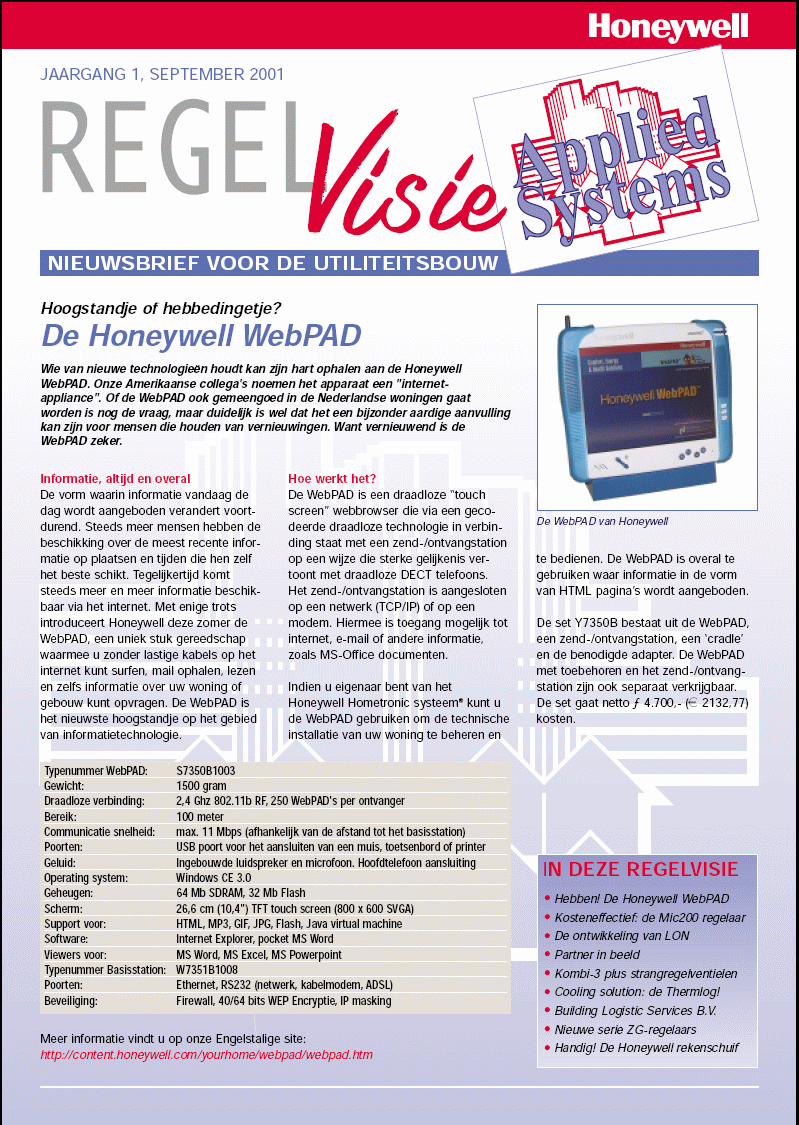
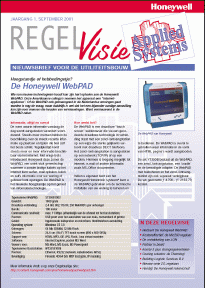
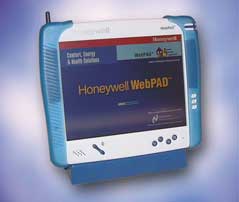
Wie van nieuwe technologieën houdt kan zijn
hart ophalen aan de Honeywell WebPAD. Onze Amerikaanse collega's
noemen het apparaat een "internet-appliance". Of de WebPAD
ook gemeengoed in de Nederlandse woningen gaat worden is nog de
vraag, maar duidelijk is wel dat het een bijzonder aardige
aanvulling kan zijn voor mensen die houden van vernieuwingen. Want
vernieuwend is de WebPAD zeker.
Informatie, altijd en overal
De vorm waarin informatie vandaag de dag wordt aangeboden
verandert voortdurend. Steeds meer mensen hebben de beschikking over
de meest recente informatie op plaatsen en tijden die hen zelf het
beste schikt. Tegelijkertijd komt steeds meer en meer informatie
beschikbaar via het internet. Met enige trots introduceert Honeywell
deze zomer de WebPAD, een uniek stuk gereedschap waarmee u zonder
lastige kabels op het internet kunt surfen, mail ophalen, lezen en
zelfs informatie over uw woning of gebouw kunt opvragen. De WebPAD
is het nieuwste hoogstandje op het gebied van informatietechnologie.
Hoe werkt het?
De Webpad is een draadloze “touch screen” webbrowser die via een
gecodeerde draadloze technologie in verbinding staat met een zend-/ontvangstation
op een wijze die sterke gelijkenis vertoont met draadloze DECT
telefoons. Het zend-/ontvangstation is aangesloten op een netwerk
(TCP/IP) of op een modem. Hiermee is toegang mogelijk tot internet,
e-mail of andere informatie, zoals MS-Office documenten.
Indien u eigenaar bent van het Honeywell
Hometronic systeem® kunt u de WebPAD gebruiken om de technische
installatie van uw woning te beheren en te bedienen. De WebPAD is
overal te gebruiken waar informatie in de vorm van HTML pagina’s
wordt aangeboden.
De set Y7350B bestaat uit de Webpad, een zend-/ontvangstation, een
‘cradle’ en de benodigde adapter. De WebPAD met toebehoren en
het zend-/ontvang-station zijn ook separaat verkrijgbaar.
|
|
|
|
 |
|
|
Meer informatie over de WebPAD vindt u op
Engelstalige
site
|
|
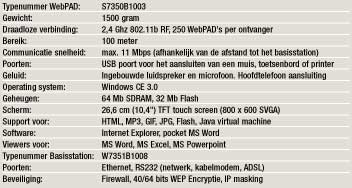 |
|
|
|
|
|
|
|
|
|
|
|
|
|
|
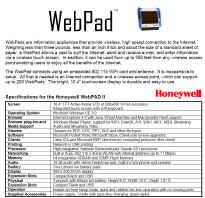
- 10.4" 800x600 SVGA
TFT touch screen
- 802.11b wireless
connectivity
- Software: Microsoft
Windows CE.net, Pocket Word, Inbox
- Internet Explorer Broswer
with Windows Media Player, MP3, DirectX support
for AVI,WAV, AIFF, Streaming Audio and Video,
Macromedia Flash, Java Virtual Machine
- Viewers for .PDF, .doc, .PPT,
.XLS and other file types
- Network or USB port
Printing
- Citrix thin client
- Microsoft Terminal Server
thin client
- USB and Headphone jacks
- Built in microphone and
speaker
- Soft keyboard
- 32MB Flash memory, 64MB
SDRAM
- Compact Flash port
- Cradle with pass-thru
charging
- National Semiconductor
Geode GS1 300 MHz Processor
- 3 pounds with lithium ion
battery
- Height: 9.5", Width:
10.5", Depth 1.0"
|
WebPAD™
is a trademark of National Semiconductor Corporation
|

Copyright © 1999
Honeywell Inc. All rights reserved |
|
| |
 |
| |
Honeywell
WebPAD II Internet Appliance
Peripherals
& Accessories
Note:
All of the accessories below ARE included in the package with your WebPAD!
|
|
WebPAD™
is a trademark of National Semiconductor Corporation
|
Copyright ©
1999 Honeywell Inc. All rights reserved |
|

|
| |
| |
| |
| |
| |
| |
| |
| |
| |
| |
| Watch the movie with the Honeywell WebPAD in it
http://xgen.sitestream.com/mcasx.asx?media=7172&package=1818
mms://media.vitalstream.com/zansphere_com/webtablet_300.wmv?media=7172&package=1818&event=0 |
| archives
http://web.archive.org/web/20020808050353/content.honeywell.com/yourhome/webpad/webpad_buy.htm |
| |
| |
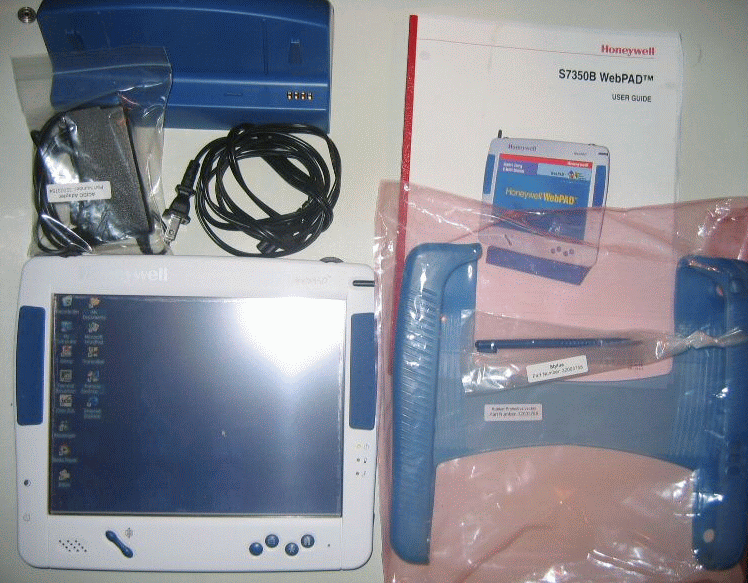
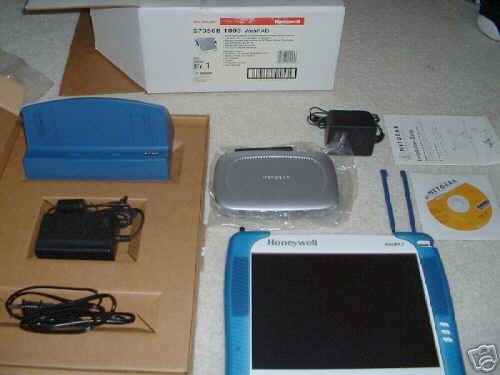
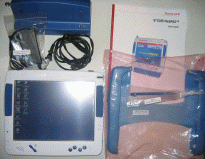 View of the contents of the box...
 |
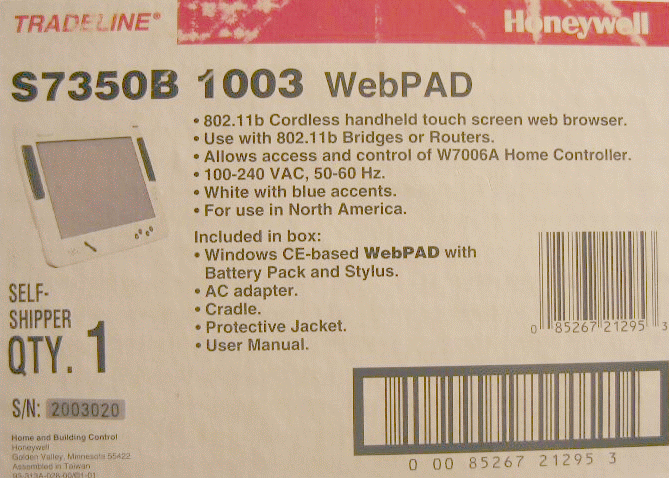
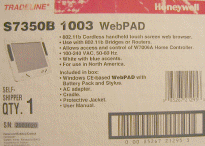 View of the Box...
 |
| |
WebPAD™
II Frequently Asked Questions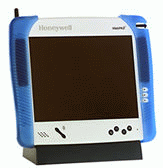
- What
is the Honeywell WebPAD™ II device?
- What
are the benefits?
- Tell
me about the specifications.
- Where
can I buy it?
- How
much does it cost?
- Why
is it so expensive? I've heard of other products offered for less
.
- Can
I use the WebPAD™ II with any ISP?
- How
easy is it to install?
- What
are the installation steps for the 802.11b router?
- What
are the installation steps for the WebPAD™ II?
- Can
we use a 802.11b router or bridge from another vendor?
- Where
is this assembled?
- What
is the warranty on the product?
- Who
will support it for me?
- How
can I get upgrades?
- Who
can I contact to get more information?
- Do
you have any product literature?
- What
is the Honeywell WebPAD™ II device?
The
Honeywell WebPAD™ II device is a portable Internet appliance that
enables users to "surf' the web from within 330' of the base
station.
- What
are the benefits?
- High
speed cordless connection to the Internet. Like your portable
phone, the Honeywell WebPAD™ II enables you to surf the web or
read e-mail without being tethered to a computer at speeds of up
to 11 M bps. Wander throughout your home, office or yard while you
read e-mails and surf the net from within 330 feet of the
basestation.
- Capability
for multiple surfers at the same time Hook up to 250 WebPAD™ II
devices to one wireless basestation and surf the Internet
simultaneously. You no longer have to wait for your spouse, kids,
or housemates to log off the Internet. With the Honeywell WebPAD™
II device, you can all log on to the Internet at the same time.
- Ability
to do word processing with Pocket Word from Microsoft as well as
open up Word attachments in e-mail with Web-based e-mail or InBox
by Microsoft.
- Maintains
favorites and other settings when turned off
- Future
Proof - easily upgrade your software as new features become
available
- Up
to 4-5 hours of usage using the battery before it needs to be
recharged
- A
USB Port for adding an accessory keyboard, mouse or printer.
- On
board speaker and headphone jack for listening to audio
- Quick
access to soft keys: Desk top, e-mail and the H-Link which
provides Honeywell WebPAD™ II support
- Scroll
buttons for vertical scrolling and value adjustments
- Adjustable
timer for battery saving features (sleep or full off)
- Cradle
for charging and viewing
- Tell
me about the specifications
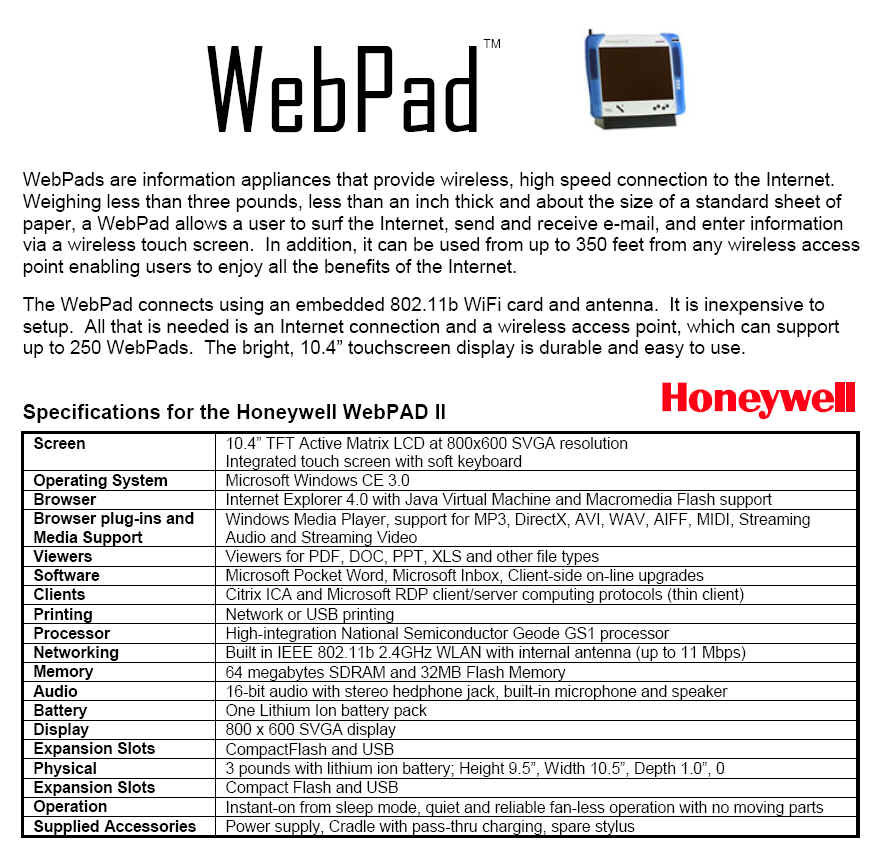
| Screen |
10.4"
TFT Touch screen |
| Operating
System |
WindowsCE
3.0 |
| Processor |
Highly
integrated National Semiconductor Geode processor |
| SDRAM |
64
MB |
| Flash
Memory |
32
MB |
| Audio |
internal
microphone and speaker, external jack for headphone |
| Battery |
One
Lithium Ion battery pack |
| Communications |
802.11b
RF transceiver, 2.4 GHz, RF for wireless LAN |
| Display |
800
x 600 SVGA display |
| Expansion
Slots |
1
Compact Flash |
- Where
can I buy it?
The
WebPAD™ II is sold through the following Home Systems Dealers:
http://web.archive.org/web/20011201183003/http://content.honeywell.com/yourhome/webpad/webpad_buy.htm
You
may also purchase the WebPAD™ II on Honeywell's website at:
http://web.archive.org/web/20011201183003/http://hcpretail.honeywell.com/HCP_Store/catalog/Thumbs_View.asp?subgroupnum=74
- How
much does it cost?
The
suggested retail price of the Y-Pack is approximately $1970.00. The
suggested retail price of the WebPAD™ II is $1,650.00.
- Why
is it so expensive? I've heard of other products offered for less.
First,
many of these products are not portable. They are stationary devices
like your PC. Second, many of these Internet appliance manufacturers
are using a subsidization pricing mode. Similar to a cell phone
pricing model, consumers pay a lower "product" cost, but
must lock into a "service" contract for several years.
Third, the cost of the touch screen, and lithium ion battery add to
the cost, but add to the user experience.
- Can
I use the WebPAD™ II with any ISP?
The
WebPAD™ II does not require a particular ISP. Some ISP's require
unique software to be downloaded to your PC. This unique software may
not be available for WindowsCE.
- How
easy is it to install?
Depending
on your in-home network, your your WebPAD™ II and the 802.11b Router
may work by simply plugging them in.
You
will probably want to change the security code and possibly enable
encryption. Dialog boxes are available on both the WebPAD™ II and
the 802.11b Router to make these entries.
The
W7351B 802.11b Router is configured from a browser on your PC or your
WebPAD™ II. Follow the instructions found in the manual. The
security code and encryption entries must match those set in the
WebPAD™ II
- What
are the installation steps for the 802.11b router?
Connect
to your Cable or DSL modem via an Ethernet cable
Connect your PC to the 802.11b router via an Ethernet cable
Connect the AC-DC adapter
Turn the 802.11b router on.
If
you have several PC's or other TCP/IP devices that need to be part of
you're in-home network you may want to add a hub to expand the
connections to the 802.11b router.
Some
ISP's require static IP addresses, PPPoE, and other special connection
protocols. Ask your ISP for any special requirements. Most of these
can be accommodated using the configuration tools on the 802.11b
router. These tools are viewed using a browser on your PC or WebPAD™
II.
- What
are the installation steps for the WebPAD™ II?
Switch
the WebPAD™ II "on" after the 802.11b router is installed.
After the PAD is operational, set the security code (SSID) and
encryption values to the same as those used on your 802.11b router
using the 802.11b utility on the WebPAD™ II (see the User Guide).
After a
few minutes to allow the IP addresses to be established you should be
able to use the browser to access a web site.
You
should be off and running. Check out your favorite web locations and
save them using the browsers "Favorites" function.
Check
the User Guide to configure the WebPAD™ II for special situations.
- Can
we use a 802.11b router or bridge from another vendor?
The
Honeywell WebPAD™ II complies with the 802.11b standard. It has been
tested with routers and bridges from several vendors. Routers and
bridges from other vendors may work but are not supported by
Honeywell.
Caution:
The WebPAD™ II does not contain the utilities needed to configure a
router or bridge. It is highly recommended that 802.11b routers or
bridges be configurable from the web via a browser.
- Where
is the WebPAD™ II assembled?
Taiwan
- What
is the warranty on the product?
1 year
- Who
will support it for me?
You can
call the WebPAD™ II™ technical support center at 1-800-520-8977.
- How
can I get upgrades?
The
software can be upgraded on-line. When available, Honeywell will
communicate software upgrade options via the Honeywell WebPAD™ II
device support site. Simply press the "H" link on the WebPAD™
II device.
- Who
can I contact to get more information?
The
fastest way to get a response is to submit your inquiry on our
web-site at http://web.archive.org/web/20011201183003/http://content.honeywell.com/yourhome/feedback.htm.
Your question will be routed to the appropriate person.
- Do
you have any product literature?
FAQ for
Version 2 WebPAD™ II and 802.11b Router
- W7351B
Description
- What
are the key features of the W7351B 802.11b Router?
- What
functions does the W7351B provide?
- What
is 802.11b RF technology?
- How
does 802.11b RF compare with Home RF and Bluetooth?
- What
is an Access Point?
- What
is the data rate of 802.11b RF technology?
- What
if I have more than one Honeywell WebPAD™ II or 802.11b clients?
- What
is Roaming?
- Is
802.11b RF technology safe?
- Is
802.11b RF technology secure?
- Other
than WEP, what other security features are available?
- W7351B
Description
W7351B 802.11b Router is the ideal networking solution for home and
small business users alike, providing the ultimate in mobility with
its wireless operation. The router is an all-in-one solution provides
an 802.11b Bridge, IP sharing, DHCP, PPOE, an RS-232 COM port for use
with an external dial-up modem, and firewall security for protection
against hackers and other intruders.
W7351B 802.11b Router provides a WAN port as well as Network Address
Translation (NAT), which extends simultaneous Internet access for up
to 250 Internet devices on the in-home or office LAN using DHCP
technology.
The 802.11b base station provides data rates of 11, 5.5, 2, and 1 Mbps
with a functional operating range of up to 330 feet(100m). As with any
RF technology the actual operating range is determined by the
characteristics of the physical space. The 802.11b standard provides
for lower data rates in noisy environments.
LAN and WAN IP addresses are auto-assigned and easily managed by a
web-based interface and the IP routing supports a range of popular
applications.
Security of the 802.11b technology is enhanced by using 40/64 bit and
128 bit Wired Equivalent Privacy (WEP) encryption.
The W7351B 802.11b Router is a comprehensive networking solution for
your Honeywell S7350B WebPAD™ II and other Internet devices.
- What
are the key features of the W7351B 802.11b Router?
- Built-in
NAT firewall security
- Simultaneous
Internet access for up to 250 Internet devices on the in-home LAN
using only one WAN IP address
- Wireless
operation at 11, 5.5, 2, or 1 Mbps
- Wireless
operating range of up to 330 ft. (11 Mbits/sec - Indoor 80 ft,
Outdoor 165 ft, 5.5 Mbits/sec - Indoor 115 ft, Outdoor 230 ft, 2
Mbits/sec - Indoor 130 ft, Outdoor 300 ft, 1 Mbits/sec - Indoor
165 ft, Outdoor 330 ft).
- LAN
and IP addresses auto-assigned and easily managed using DHCP
technology
- Connects
to a cable/xDSL modem, dial-up modem, or Ethernet backbone
- 10/100
Mbps in-home LAN port plus 1 port for your WAN connection
- All-in-one
solution provides 802.11b Bridge, IP sharing, DHCP, PPOE and
firewall security o Web-based utilities allow configuration
through any networked PC's Web browser.
- 40/64
bit WEP Encryption
- What
functions does the W7351B provide?
The
W7351B is a broadband IEEE 802.11b compliant wireless access point or
base station and a router/ gateway. It connects to your DSL or Cable
modem and also provides an Ethernet port to connect to your in-home
network. Its integrated Router and Firewall provide NAT, DHCP, and
packet filtering services between the local network and the Internet.
The
W7351B allows wireless multiple LAN users to share a single Internet
connection while providing the safety and security of port blocking,
packet filtering, and a natural firewall. Static address support,
integrated DHCP, PPPoE, and device name support will allow it to
connect to nearly any broadband provider whether Cable or DSL based,
and at the same time simplify local area network settings.
The
W7351B provides two levels of security support. First, it masks local
users' IP addresses from others on the Internet making it much more
difficult for a hacker to target a machine on your network. Secondly
it can block and redirect certain ports to limit the services that
outside users can access. Specific ports can be opened by the user to
ensure that games and other Internet applications will run properly.
It also
provides special pass through support for common VPN implementations
including PPTP (Point to Point Tunneling Protocol) and IPSec. The
Virtual Server feature allows the user to expose HTTP, FTP, Game
Servers and other local services to be accessible to Internet users
located outside of the LAN. The User-Definable Application Sensing
Tunnel feature allows the user to define the attributes to support
special applications requiring multiple connections, such as Internet
gaming, video conferencing, and Internet telephony.
Unlike
PC based proxy server or NAT software that requires the PC to remain
visible on the Internet, no local computers are directly externally
visible when using the W7351B. The W351B like broadband, is always on,
removing the need to constantly boot your PC when access is desired
from a WebPAD™ II.
Integrated
DHCP services allow up to 250 users to get their IP address
automatically on boot-up from the W7351B.
- What
is 802.11b RF technology?
The
802.11b wireless LAN systems use radios in the 2.4-GHz frequency band
- the same band used by microwave ovens. The advantages of this band
are that it provides a lot of spectrum space and doesn't require
licensing of the radio devices.
Recognizing
the critical need to support higher data-transmission rates, the the
Institute of Electrical and Electronics Engineers (IEEE) 802 committee
ratified the 802.11b in September 1999 for transmissions of up to 11
Mbps. These radio-based standards operate within the 2.4 GHz ISM band.
These frequency bands are recognized by international regulatory
agencies, such as the FCC (USA), ETSI (Europe), and the MKK (Japan)
for unlicensed radio operations.
The
802.11b standard is the first standard to make WLANs usable in the
workplace by providing robust and reliable 11 Mbps performance, five
times faster than the original 802.11 standard. Recently the costs for
this technology are such to permit it to also be used in a home
environment. The new standard gives WLAN customers the freedom to
choose flexible, interoperable solutions from multiple vendors, since
it has been endorsed by most major networking and personal computer
vendors. Broad manufacturer acceptance and certifiable
interoperability means users can expect to see affordable, high-speed
wireless solutions proliferate throughout the large enterprise, small
business, and home markets. This global wireless LAN standard opens
exciting new opportunities to expand the potential of network
computing.
- How
does 802.11b RF compare with Home RF and Bluetooth?
| |
IEEE
802.11b |
HomeRF |
Bluetooth |
| Speed |
11,
5.5, 2, 1 Mbps |
Mbps
1, 2, 10
|
30-400
Kbps |
| Use |
Home,
office or campus LAN |
Home
office, house and yard |
Personal
area network |
| Types
of terminals |
Add-on
to notebook, desktop PC, Internet appliances, palm device,
internet gateway |
Add-on
to notebook, desktop PC, modem, phone, Internet appliance,
mobile device, Internet gateway |
Built
into notebook, cell phone, palm device, pager, appliance, car |
| Typical
configuration |
Multiple
clients per access point |
Point-to-point
or multiple devices per access point |
Point-to-point
or multiple devices per access point |
| Range |
50
to 300 feet |
150
feet |
30
feet |
| Frequency
sharing |
Direct
sequence spread spectrum |
Wideband
frequency hopping |
Narrowband
frequency hopping |
| Backers |
Cisco,
Lucent, 3Com, WECA consortium |
Apple,
Compaq, Dell, HomeRF Working Group, Intel, Motorola, Proxim |
Bluetooth
Special Interest Group, Ericsson, Motorola, Nokia |
| Status |
Shipping |
Shipping |
In
development |
- What
is an Access Point?
The
802.11b standard defines two types of equipment, a wireless station or
client (may be a PC or an Internet Appliance such as the Honeywell
WebPAD™ II that is equipped with a 802.11b radio or wireless network
interface card) and an access point (AP), which acts as a bridge
between the wireless and wired networks. An access point usually
consists of a radio, a wired network interface and bridging software
conforming to the 802.1d bridging standard. The access point acts as
the base station for the wireless network, aggregating access for
multiple wireless stations onto the wired network. Access points may
also include functions such as Dynamic Host Control Protocol (DHCP),
Network Address Translation (NAT), PPPOE registration, and Firewall
functions. The Honeywell W7351B includes an 802.11b access point
- What
is the data rate of 802.11b RF technology?
To
support very noisy environments as well as extended range, 802.11b
WLANs use dynamic rate shifting, allowing data rates to be
automatically adjusted to compensate for the changing nature of the
radio channel. Ideally, users connect at the full 11 Mbps rate.
However when devices move beyond the optimal range for 11 Mbps
operation, or if substantial interference is present, 802.11b devices
will transmit at lower speeds, falling back to 5.5, 2, and 1 Mbps.
Likewise, if the device moves back within the range of a higher-speed
transmission, the connection will automatically speed up again. Rate
shifting is a physical-layer mechanism transparent to the user and the
upper layers of the protocol stack.
- What
if I have more than one Honeywell WebPAD™ II or 802.11b
clients?
The
logic of the S7350B and the W7351B allows for up to 250 802.11b
devices. As on any network , performance degrades as traffic
increases. Depending on utilization of the WebPAD™ IIs on a single
access point, users may experience delays.
It is possible to add additional in-range 802.11b access points to
share the traffic load.
- What
is Roaming?
When an
802.11b client such as the Honeywell S7350B WebPAD™ II is in an
environment with two or more access points are in-range the client is
responsible for choosing the most appropriate access point based on
the signal strength, network utilization and other factors. When a
station determines the existing signal is poor, it begins scanning for
another access point. The station selects the most appropriate signal
and sends an association request to the new access point. If the new
access point sends an association response, the client has
successfully roamed to a new access point.
Periodically the 802.11b clinet surveys all 802.11b channels in order
to assess whether a different access point would provide it with
better performance characteristics. If it determines that this is the
case, it reassociates with the new access point, tuning to the radio
channel to which that access point is set.
- Is
802.11b RF technology safe?
As with
other wireless technologies, WLANs must meet stringent government and
industry standards for safety. There have been concerns raised across
a number of wireless technology industries regarding the health risks
of wireless use. To date, scientific studies have been unable to
attribute adverse health effects to WLAN transmissions. In addition,
the output power of wireless LAN systems is limited by FCC regulations
to under 100 mW, much less than that of a mobile phone, and it is
expected that any health effects related to radio transmissions would
be correlated to power and physical proximity to the transmitter.
- Is
802.11b RF technology secure?
Security
is a common concern among potential WLAN users. 802.11b specifies
40-bit (often called 64 bit because the SSID security code is added to
the key) or 128-bit encryption via wired equivalent privacy (WEP), an
optional security mechanism designed to make wireless link integrity
equal to that of wired links. Note that WEP is optional, which means
some products might not use it. If you're concerned about the security
of your wireless data, be sure to choose access points and client
adapters that support WEP. The Honeywell S7350B provides both 64 bit
and 128 bit encryption. The Honeywell W7351B router supports 64 bit
encryption.
- Other
than WEP, what other security features are available?
- ESSID
(often called SSID) For the access control, the ESSID (also
known as a WLAN Service Area ID) is programmed into each access
point and is required knowledge in order for a wireless client to
associate with an access point. An identification value called
ESSID is programmed into each access point to identify which
subnet it is on. This can be used as an authentication check; if a
station does not know this value, it is not allowed to associate
with the access point.
- Normal
LAN Security 802.11b RF networks support the same security
standards supported by other 802 LANs for access control (such as
network operating system logins) and encryption (such as IPSec or
application-level encryption). These higher-layer technologies can
be used to create end-to-end secure networks encompassing both
wired LAN and WLAN components, with the wireless piece of the
network gaining unique additional security from the 802.11 feature
set.
|
| |
| |
| |
| |
| |
| More reading....
http://www.geek.com/news/geeknews/q22000/pda20001006002547.htm

|
The following pages from INFOCATER,
Inc.
|
Honeywell
WebPAD II

|
Includes:
-
Integrated
802.11b WiFi wireless connectivity
-
800
x x 600 10.5" TFT touch screen
-
Internet
Explorer with support for
-
MacroMedia
Flash
-
Java
Virtual Machine
-
Viewers
for .pdf, .doc, .ppt, and .xls files
-
Windows
CE 3.0
-
64M
RAM for improved performance.
-
Citrix
and Microsoft terminal server thin clients
Full-Featured,
Wireless Web Surfing and E-mail
in
your Office, Factory, School, Hospital or Home!

The NEW Honeywell WebPAD™ II Internet Appliance - an
easy-to-use, portable tool for wireless, high-speed
connection to the Internet and centralized home control
applications. Weighing less than three pounds and
measuring less than an inch thick and about the size of
a standard sheet of paper. The Honeywell WebPAD™ II
device allows a user to surf the Internet, send and
receive e-mail, and enter information via a wireless
touch screen display at higher speed and with more
features. The device uses an integrated 802.11b
radio to link to a 802.11b access point-- that's
connected to the internet using broadband cable, DSL or
a dial-up phone connection. Enjoy the benefits of a
high-bandwidth Wireless connection from anywhere inside
or outside the office or even your home within 330 feet
of an access point.
Applications
in the workplace
In
the home
Only
$1650...in stock for same day shipment!
including
integrated 802.11b and cradle with pass through power!
WebPAD™
is a trademark of National Semiconductor Corporation

|
|
Copyright © 2001 INFOCATER,
Inc. All Rights Reserved
Trademarks used herein are
the property of their owners. Bluetooth is a trademark owned
by the Bluetooth SIG, Inc.
|
Honeywell
WebPAD II
|
Includes:
-
Integrated
802.11b WiFi wireless connectivity
-
800
x x 600 10.5" TFT touch screen
-
Internet
Explorer with support for
-
MacroMedia
Flash
-
Java
Virtual Machine
-
Viewers
for .pdf, .doc, .ppt, and .xls files
-
Windows
CE 3.0
-
64M
RAM for improved performance.
-
Citrix
and Microsoft terminal server thin clients
Full-Featured,
Wireless Web Surfing and E-mail
in
your Office, Factory, School, Hospital or Home!
The NEW Honeywell WebPAD™ II Internet Appliance - an
easy-to-use, portable tool for wireless, high-speed
connection to the Internet and centralized home control
applications. Weighing less than three pounds and
measuring less than an inch thick and about the size of
a standard sheet of paper. The Honeywell WebPAD™ II
device allows a user to surf the Internet, send and
receive e-mail, and enter information via a wireless
touch screen display at higher speed and with more
features. The device uses an integrated 802.11b
radio to link to a 802.11b access point-- that's
connected to the internet using broadband cable, DSL or
a dial-up phone connection. Enjoy the benefits of a
high-bandwidth Wireless connection from anywhere inside
or outside the office or even your home within 330 feet
of an access point.
Applications
in the workplace
In
the home
Only
$1650...in stock for same day shipment!
including
integrated 802.11b and cradle with pass through power!
WebPAD™
is a trademark of National Semiconductor Corporation
|
|
Copyright © 2001 INFOCATER,
Inc. All Rights Reserved
Trademarks used herein are
the property of their owners. Bluetooth is a trademark owned
by the Bluetooth SIG, Inc.
|
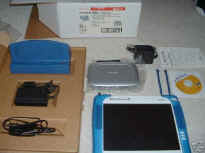 |
|
found on an old infocater page....
Honeywell WebPAD II Update Instructions
March, 2002 Release 3.35
Important: Do not power the system down during the down
load process! The AC adapter must be used during the update process,
either directly into the WebPAD or with the cradle.
The files are located on a public ftp site: 129.17.22.194.
A. BIOS UPDATE
- 1. Start the "Update Program" by selecting
"Start", "Settings", "Control Panel" and
then "Update" (looks like a Swiss Army knife).
- 2. Enter the filename 325stx348.mbs
in the "File Name" field.
- 3. Enter the ftp site: 129.17.22.194
in the "Server IP Address" field.
- 4. Select the "Use
anonymous FTP Connection" checkbox.
- 5. After the BIOS file is updated you will be prompted to reboot the
WebPAD II. After the WebPAD reboots you need to update WinCE to the
new level.
B. WinCE UPDATE
- 1. Start the "Update Program" by selecting
"Start", "Settings", "Control Panel" and
then "Update" (looks like a swiss army knife).
- 2. Enter the filename 325HOC335-0214.bin
in the "File Name" field.
- 3. Enter the ftp site: 129.17.22.194
in the "Server IP Address" field.
- 4. Select the "Use anonymous FTP Connection" checkbox.
- 5.
After the WinCE file is updated you will be prompted to
reboot the WebPAD II.
Following the WinCE update, the first startup may stall
when the progress bar completes its progress across the screen. You can
get by this by either tapping the touchscreen or momentarily pressing the
power switch. If it happens at all, it will only happen the first time the
WebPAD II is restarted after updating the WinCE image.
|
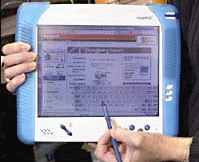
Comdex 2000 - Honeywell's WebPad, weighing less than three pounds,
offers a portable, wireless connection to the Internet
|
|
|
WebPad II offers better surf experience
| Honeywell has just introduced their
WebPad II, a three pound handheld touch sensitive 10.4
inch display screen that offers wireless Internet access.
Less than an inch thick and about the size of a sheet of
paper, it operates at a range of up to 300 feet from its
access point base station making it ideal for most home
and small office applications. The WebPad II has an
Instant On feature and a data transfer rate of up to 11
megabits per second so even a fast DSL or cable modem
connection won't become bogged down. A built-in reader
lets you scan Word, PowerPoint and Excel attachments. You
can print with a compatible printer. The WebPAD II
supports Windows Media Player, MP3s, JVM Web pages and
Flash files. |
 |
The WebPAD suggested retail is $1650. The
802.11b access point base station (which permits wireless surfing
by up to 250 WebPAD devices) with Ethernet port and built-in
router and firewall functions carries a suggested retail of $355.
http://content.honeywell.com/yourhome/webpad/webpad.htm
Craig Crossman is a Knight-Ridder newspaper
columnist writing about computers and technology. He also hosts
the nation's longest running nationally syndicated radio talk show
on computers and technology, Computer America, heard on the
Business Talk Radio network weeknights at 10PM ET. In South
Florida, you can hear a rebroadcast of a selected Computer America
show each Sunday evening at 8PM ET on WJNO 1290AM.
|
|
|
Wireless
Wander
Enjoy Portable Access to Home Automation, Web and Email
With Honeywell’s WebPAD® II Internet Appliance
By Elisabeth Young, Honeywell
The
Honeywell WebPAD® Internet Appliance burst onto the cyberscene
in the fall of 2000, quickly snaring a FORTUNE magazine ranking
as one of the ten “best technologies for 2001.” In addition
to giving you portable, wireless high-speed access to the
Internet and email, the WebPAD device lets you take advantage of
today’s home networking solutions—without being tethered to
a computer or wall panel. The just-introduced WebPAD II device
offers even more of what wireless Web wanderers want: speed,
features and revved-high performance.
|
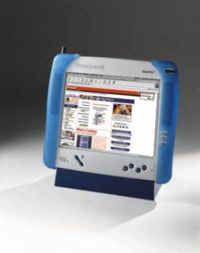
|
Imagine
controlling your home automation system, surfing the Internet, and getting
and sending email from anywhere
in your home or yard. Wirelessly. Instantly. With one device. Now you can.
The WebPAD® II Internet Appliance from Honeywell gives you portable,
wireless high-speed access to the Internet and email, and works as a
portable user interface for Honeywell’s Home Controller™ Gateway
system.
The
Home Controller Gateway gives today’s on-the-go, multi-tasking,
technologically savvy consumers a remarkably accessible, easy-to-use tool:
centralized home management through a secure Web connection. Enjoy
Web-enabled control of heating, ventilation and air conditioning,
security, lighting and appliances from anywhere—home, office, on the
road—in the world.
The
WebPAD device expands your options at home. It lets you access the Web or
control your home systems from anywhere within 330 feet (or about 100
meters) of its access point base station.
The very flexible Home Controller Gateway may also be controlled via PC,
phone or wall panel.
Fewer
family feuds (over the computer)
Nearly
a third of American households report that two or more people needing to
use the computer at the same time, according to the second annual
Honeywell Your Home survey released last fall. The good news: With the
WebPAD, you don’t have to wait for your turn
at the computer. You and your family members can simultaneously surf.
That’s because up to 250 WebPAD devices can wirelessly connect to each
WebPAD access point base station.
Flexibility,
please
Americans
also want greater flexibility in how they access the Internet at home,
according to the Honeywell survey. More
than two out of three (68%) would like to log on where and when they want.
For example, 57% would like to access recipes and 53% would like to order
groceries while working in the kitchen; 52% would like to order car parts
online while tinkering in the garage. A third report that they would like
to use the Internet, but don't feel like going to their computer.
Now
WebPAD-equipped consumers can surf unfettered by wires anywhere in the
home or yard, kitchen or garage, poolside or porch.
Internet
appliance trends
The
WebPAD device fits in the emerging category of devices known as information
appliances. The global market for information
appliances is poised for explosive growth, say industry observers.
International Data Corporation, a market research firm, forecasts
information appliance sales of 55.7 million units in 2002, representing a
76% annual growth rate from 1998.
Meanwhile,
technologies in the home continue to converge, allowing the integration,
monitoring and controlling of key home functions via the Internet. Blazing
the convergence trail is the WebPAD, permitting wireless Internet access
today and a wide range of wireless home control capabilities in months and
years to come.
WebPAD
II features
The
just-announced new and improved WebPAD® II Internet Appliance packs in
even more speed, features and functions. Weighing
less than three pounds, measuring less than an inch thick and about the
size of a standard sheet of paper, the WebPAD device gives:
-
Doubled
surf range. Enjoy portable, high-speed
surfing up to 330 feet (100 meters)—from the access point.
-
Faster,
more powerful performance.
Save time with “instant on” and data transfer rates that, at up to
11 megabits per second, are five times faster than before. WinCE 3.0
offers higher performance. SDRAM 64 megabits and Macromedia Flash
memory 32 MB give twice the oomph. And communications using 802.11 rf
at 2.4 ghz speeds you ahead.
-
Larger,
brighter screen. Expanded
to 10.4”, the TFT (thin-film transistor)
color screen is easier to see and use.
-
More
popular functions.
A built-in reader lets you scan Word, PowerPoint and Excel
attachments. You can print with a compatible printer. The WebPAD
device now supports Windows Media Player, MP3s, JVM Web pages and
Flash files.
Surf
the Internet, send and receive e-mail, and enter information via the
WebPAD’s wireless touch-screen display. The WebPAD device wirelessly
connects to an access point base station, which connects to broadband
cable or DSL.
The
WebPAD suggested retail is $1970, including the 802.11b access point base
station with Ethernet port and built-in router and firewall functions. The
future-ready device accepts software updates and plug-in modules to boost
performance and tackle new applications.
The
WebPAD device is part of Honeywell’s broad portfolio of
“connected-home” solutions, which includes the Home Controller
and other residential gateways, integrated structured wiring, home
control, next-generation temperature control systems and much more. These
in-demand solutions help consumers create and enjoy homes that are
Web-enabled for optimum connectivity now, allow
easy future upgrades, and are more comfortable, secure and
convenient.
What
wireless Web wanderers want
If
you want portable, wireless high-speed access to the Internet, email and
home control, the WebPAD device is for you. The acclaimed WebPAD II device
offers even more of what wireless Web wanderers want: speed, features and
revved-high performance.
WebPAD®
is a registered trademark of National Semiconductor Corporation.
Elisabeth
Young is Director of Home Systems Marketing for Honeywell.
Home Systems creates connected home solutions including home
automation and remote access products.
Get
more information or buy at www.honeywell.com/yourhome/.
Or send email to info@honeywell.com.
article from.... www.hometoys.com/.../
honeywell/honeywell.htm
|
| |
Honeywell Convenience
Whether you're home or away
 Create
exactly the home environment you want at any given moment--making it easy
for you to access and manage your home security system, temperature
settings, lights, appliances and other key home functions. Plus, you can
control your home from any location in the world where you have Internet
access, giving you peace of mind while away. Create
exactly the home environment you want at any given moment--making it easy
for you to access and manage your home security system, temperature
settings, lights, appliances and other key home functions. Plus, you can
control your home from any location in the world where you have Internet
access, giving you peace of mind while away.
And best of all, enjoy knowing that your home is future-proof--able to
accommodate new technologies and services when they become available as
well as changes in how your family lives.
Your home, exactly the way you want it: Comfortable, Convenient,
Inviting and Secure.

If you’re one of the projected 196 million people who will surf, sell,
shop and study via the Internet this year, you know the value of being
empowered to explore a vast matrix of computer users and information
resources “out there,” spread across countless locations around the
globe.
But you might be surprised to learn there’s another important
information network unfolding much closer to home. In fact, it’s
evolving inside today’s homes.
 As we homeowners acquire more entertainment devices, computers and
appliances to make our lives easier and more enjoyable — and as we seek
ever greater convenience and comfort in our lives — manufacturers have
begun laying the groundwork for your “networked home.” In other words,
a home where electronics, systems and appliances are linked by an internal
network, which in turn is connected to the Internet.
As we homeowners acquire more entertainment devices, computers and
appliances to make our lives easier and more enjoyable — and as we seek
ever greater convenience and comfort in our lives — manufacturers have
begun laying the groundwork for your “networked home.” In other words,
a home where electronics, systems and appliances are linked by an internal
network, which in turn is connected to the Internet.
The Net Effect
Why should you care about living in a network home? Imagine the comfort,
convenience and safety advantages if the technologies and systems in your
home could “talk” to each other and to you, wherever you happen to be:
- you hop into bed, at the touch of a button, you send the house into
“sleep” mode. That command turns off inside and outdoor lights,
sets back the thermostat, arms the security system, even schedules a
wake-up call.
- Early the next morning, an hour before you wake, the system signals
the temperature zoning system to begin warming the kitchen and
bedrooms. The lawn sprinkler turns on. Embedded heaters under the
bathroom tile begin to glow.
- As everyone leaves for school and work, a touch of the “away”
button arms the security system, turns off lights and draws the
temperature down to an energy-stingy 60 degrees F — helping you
manage your utility bills.
- Later, at work, you can’t recall if you unplugged the coffee
maker. No problem. Log on to your Internet home page and simply switch
off power to that outlet. As you do, your energy consumption indicator
shows that the furnace is consuming more gas than normal. You make a
note to change the filter, then click on your home maintenance address
book to schedule a service call by your heating contractor.
- As your teenage daughter gets off the bus from school, your
networked home stands ready to greet her at a comfortable 71 degrees
F, lights on, security system disarmed. When she opens the door, a
notification e-mail simultaneously arrives in your inbox at the
office.
Ready, Set, Go
If you’re starting to see the benefits of networked living, there are
things you can do today to begin moving in that direction.
For example, if you’re in the process of planning or building a new
home, or your contemplating a remodel, you’re in an ideal position to
begin laying the basic network building blocks.
Talk with your building contractor about “"future proofing”
your home to the greatest degree possible. That is, plan to install the
“Category 5” data and telecommunications cabling necessary to get and
keep your home “wired” as you add new appliances and equipment, and as
telecommunications, computing and Internet technologies advance.
Also, when you buy a major piece of technology for your new or existing
home — a new Web-enabled TV, a security system, heating and ventilation
equipment, etc. — ask to be sure that the manufacturer has equipped the
device to be “networkable.”
Coming to Market
Several leading control and information technology companies — including
Honeywell, Compaq, Intel, Microsoft and Mitsubishi — are currently
developing a common set of “application programming interfaces,” or
APIs, for networked home products. Programming standards developed by the
consortium, dubbed the Home API Working Group, should make it easier for
manufacturers to create (and consumers to buy) software applications that
recognize and control home devices such as TVs, VCRs, lights, security
systems and thermostats, among others.
In fact, the first Home API-based product is just about to hit the
market. It’s the Honeywell
Home Controller GatewayTM, featuring a built-in Web server
that enables direct, secure access to home systems via the Internet. The
system will enable a wide range of convenient scheduled activities, from
security lighting times to setting temperature and humidity comfort zones
by location in the house and time of day. In the future, the Home
Controller will be a secure platform for delivering information-based
services to the home.
Visit the Your Home: 2000+ area of Honeywell’s Your Home
Expert often, and discover more about what’s ahead for your home
|
Honeywell WebPAD™ II Internet Appliance
Now with 11 Mbit data rate, Easier-to-view TFT screen, MacroMedia
Flash, Java Virtual Machine, Viewers for .pdf, .doc, .ppt, . xls
files, WinowsCE 3.0 and 64M RAM for improved performance
Full-Featured, Wireless Web Surfing and E-mail in Your Home, Office
or Yard Now a Reality!
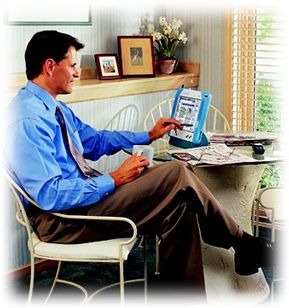
The NEW Honeywell WebPAD™ II Internet Appliance - an easy-to-use,
portable tool for wireless, high-speed connection to the Internet and
centralized home control applications. Weighing less than three pounds
and measuring less than an inch thick and about the size of a standard
sheet of paper. The Honeywell WebPAD™ II device allows a user to
surf the Internet, send , receive e-mail, and enter information via a
wireless touch screen display at higher speed and with more features.
The device uses a 802.11b radio to link to a 802.11b access point--
that's connected to broadband cable or DSL or a dial-up phone
connection. Enjoy the benefits of a high-bandwidth Wireless connection
from anywhere inside or outside the home within 330 feet of an access
point.
|
Honeywell Home Controller GatewayTM
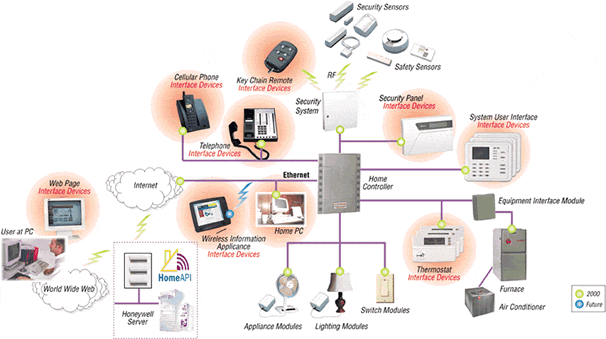
In-home and Remote Control is
Easier Than Ever
1 PC: Use any desktop or laptop PC with Internet access - at
home, at work or on the road - to log into your own personal server and
access your customizable home page. This server is password protected with
its own firewall. Anytime, anywhere, you'll be "virtually" at
home, and able to use your browser to control lights, appliances, security
system, thermostat and more.
2 Wireless Information Appliance: These increasingly popular
wireless units can also provide remote control through your Honeywell Home
Controller home page.
3 Touch-tone phone: Follow simple voice prompts to check
the status of your system or make changes.
4 Special key chain remote: This small remote control lets you
arm/disarm your security system from the driveway as you approach or leave
home.
5 Thermostat: Make program changes or temporary adjustments at
the integrated Honeywell thermostat.
6 Control panel: This wall-mounted panel gives you single-point,
in-home control. Its large LCD displays, at-a-glance, current settings and
conditions.
Integrated For Today, Adaptable
For Tomorrow
The basic system includes the:
- Home Controller GatewayTM base unit,
- wall-mounted control pad,
- security system,
- communicating thermostat, and
- Two-way X10 plug-in modules to control your lights and appliances
using your standard house wiring.
It's all customizable to fit your lifestyle, with optional add-ons and
upgradability to meet your changing needs:
Security and safety
A professionally monitored Honeywell security system is designed to
alert help - even if you're not home, even if family members are there
alone. It also can immediately alert you by phone, pager or e-mail. Or opt
for at-home only alarms. Your options, with modular wired or wireless
sensors, include:
- Intruder detection with sensors to detect opening windows and
doors, breaking glass, and movement inside rooms. The motion detectors
are "pet immune" to minimize false alarms.
- Hazardous condition sensors can be added to monitor for
freezing, flooding, smoke and high carbon monoxide levels.
- Temporary and special access codes. Give houseguests,
neighbors and authorized visitors such as housekeepers and
baby-sitters their own access codes. You can even make the codes
"active" only for specific days/time periods.
- Customized coverage. Arm some areas of the home, disarm
others and put some areas on watch.
Temperature control and energy-savings
Honeywell's new communicating thermostat integrates with the Home
Controller GatewayTM. Its advanced programmable features
include "Adaptive Intelligent Recovery™" for optimum comfort
and energy efficiency.
Lighting and appliance control
Plug-in modules connect the Home Controller GatewayTM to
small appliances and lights, giving you programmable and remote control.
Schedule specific interior and exterior lights so your home looks occupied
when you're away. Have selected lights turn on automatically before you
wake or after you go to bed. The system is flexible; you can add or remove
modules at any time.
Upgradeable
The Honeywell Home Controller GatewayTM is a lasting
investment that will pay off for years to come. It's designed for easy
upgrading to improved plug-in modules, downloadable software updates, and
to fascinating future applications such as:
- Latchkey child alerts that let you know your child has returned home
- and notifies you if that hasn't happened.
- Over-the-Internet video monitoring to check on children or an older
parent. Energy and money-saving monitoring services from your local
utility.
- Ventilation and humidity improve ventilation with programmed
operation of your home's furnace fan.
- Integration of zoned temperature control, humidification and energy
recovery ventilation systems are planned future enhancements to the
Home Controller GatewayTM
|
Honeywell Home Controller Gateway
Honeywell launches its Home Controller Gateway, bringing the
power of the Internet to your home.
The All-In-One Security, Comfort and Convenience System
That Web-enables Your Home For Today - And Tomorrow.
|
The Internet is revolutionizing how people communicate, do
business, and take care of errands because it vaporizes
restrictions of time and distance. The innovative Honeywell
Home Controller taps that power to transform what your home
can do for you.
It's the first Web-enabled, all-in-one security, comfort
control and home convenience system. Lights, appliances,
safety and security sensors, your heating-cooling-ventilation
equipment - they can all work together automatically, making
your life easier and more enjoyable, saving you time, steps,
worry and work.
|
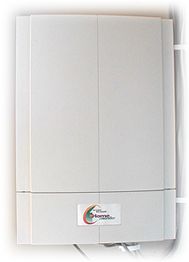
Home Controller GatewayTM
Actual Size:
Width 11.28 inches
Height 15.85 inches
Depth 2.08 inches
|
And, because it links your home to the Internet, the Home
Controller transforms your ability to check on things at home, at any
time, from anyplace. In fact, you get six options for in-home and
remote control.
Plus, there's no need to buy separate systems, risk incompatibility
or worry about "instant obsolescence." The Home Controller
comes with a rich array of fully integrated, "most wanted"
features.
Peace of mind. Security. Convenience. Optimum
comfort when it counts.
Continuous cost and energy-savings whether you're asleep or
away. Future-proof
upgradability that protects your investment today…
while preparing your home for "must have" future
innovations.
It's as easy to enjoy those benefits as it is to use
the Honeywell Home Controller GatewayTM.
|
| old.hi-pda.com/
news/2k10.htm says....
○Honeywell公司最新WebPAD
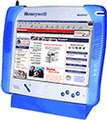 Honeywell公司最新发布了一台WebPAD,
基于美国国家半导体公司的技术。重量近1.3公斤,
10"触控屏, 有USB端口,键盘和鼠标,使用Cable或DSL连接到Internet,它的电池可供连续5小时使用。价格达到995美元,
比起以前介绍的几种WebPAD都贵多了.
参考这里. Honeywell公司最新发布了一台WebPAD,
基于美国国家半导体公司的技术。重量近1.3公斤,
10"触控屏, 有USB端口,键盘和鼠标,使用Cable或DSL连接到Internet,它的电池可供连续5小时使用。价格达到995美元,
比起以前介绍的几种WebPAD都贵多了.
参考这里.
|
news.hpc.ru/news/
news2000_10_13.shtml says......
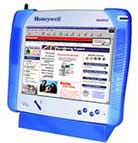 Компания Honeywell
представила
терминал WebPAD
для
беспроводного
доступа в
Интернет.
Следует
заметить,
что
устройство
не имеет
возможности
прямого
выхода в
Сеть, так как
для этого
необходимо
приобрести
хотя бы одну
специальную
базовую
станцию,
использующую
модемное
или
кабельное DSL-соединение
с Интернет.
Собственно,
через эту
станцию и
происходит
соединение.
К одной
такой
станции
можно
подключить
до восьми
веб-терминалов
в пределах 150
футов (около
50 метров).
Компания Honeywell
представила
терминал WebPAD
для
беспроводного
доступа в
Интернет.
Следует
заметить,
что
устройство
не имеет
возможности
прямого
выхода в
Сеть, так как
для этого
необходимо
приобрести
хотя бы одну
специальную
базовую
станцию,
использующую
модемное
или
кабельное DSL-соединение
с Интернет.
Собственно,
через эту
станцию и
происходит
соединение.
К одной
такой
станции
можно
подключить
до восьми
веб-терминалов
в пределах 150
футов (около
50 метров).
Скорость
передачи
данных
достигает 1.5
Мбайт в
секунду. В
качестве
операционной
системы
используется
WinCE c броузером
Explorer, а
встроенный
текстовый
редактор
совместим с
файлами,
созданными
в Pocket Word. Для
подключения
клавиатуры
и мыши
используется
порт USB, а для
прослушивания
музыки и
звуков,
загруженных
из Сети,
имеется
встроенный
динамик и
разъем для
подключения
обыкновенных
наушников.
Перезаряжаемая
батарея
продолжает
работать в
автономном
режиме 4-5
часов, при
этом ее
работа
может
управляться
таймером.
Дальности
действия
вполне
хватит для
домашнего
или
офисного
применения,
правда,
розничную
цену 995$
нельзя
назвать
низкой.
Постоянная
ссылка: Беспроводный
Интернет-терминал
|
| |
| |
| |
| |
| |
|